Everything in one place, the moment you log in
Is my ticket being looked at? Has the new starter been set up? What happened to that request from last week? With most IT providers, every one of those is a phone call. Our clients open the Tora Portal instead.
The first screen is the dashboard, which the portal describes as your central hub for support, security monitoring and service management. It shows how many tickets you have open, in progress, on hold and closed this month, your most recent tickets, and four quick actions: log a support ticket, request a new user, request a leaver, and download our monitoring agents for Windows or Mac.
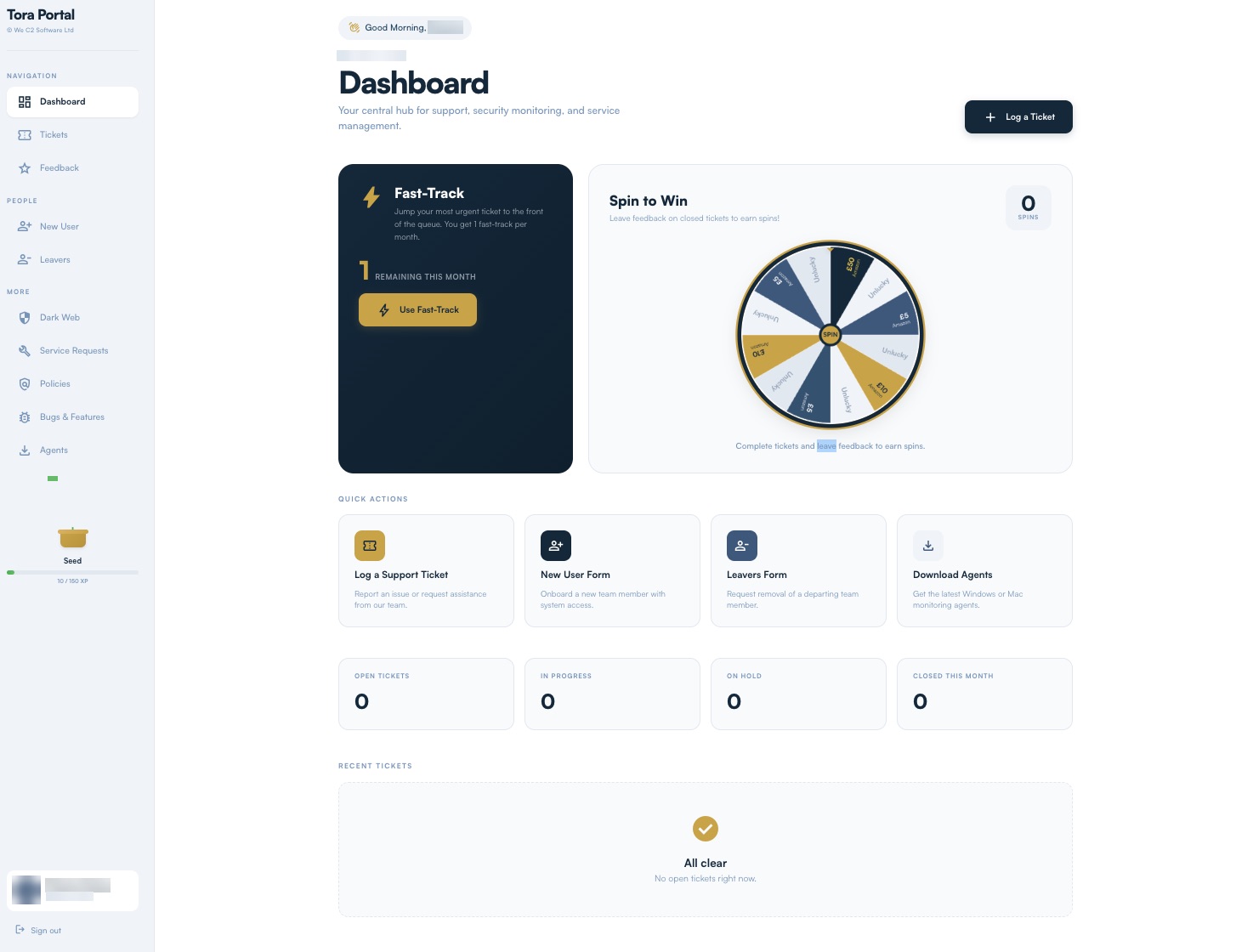
Urgent means urgent, and Fast-Track is on top of that
If something is stopping you working, it is urgent because you said so, and your priorities set ours. On top of that, every client gets a monthly Fast-Track: one click moves the ticket you choose to the top of the list, for the day when one problem matters more than everything else you have open.
Your tickets, and exactly where they have got to
The tickets page lists every open request with its status, the contact who raised it, the engineer working on it and when it was last updated. You can filter by open, escalated, on hold or closed, and search across the lot.
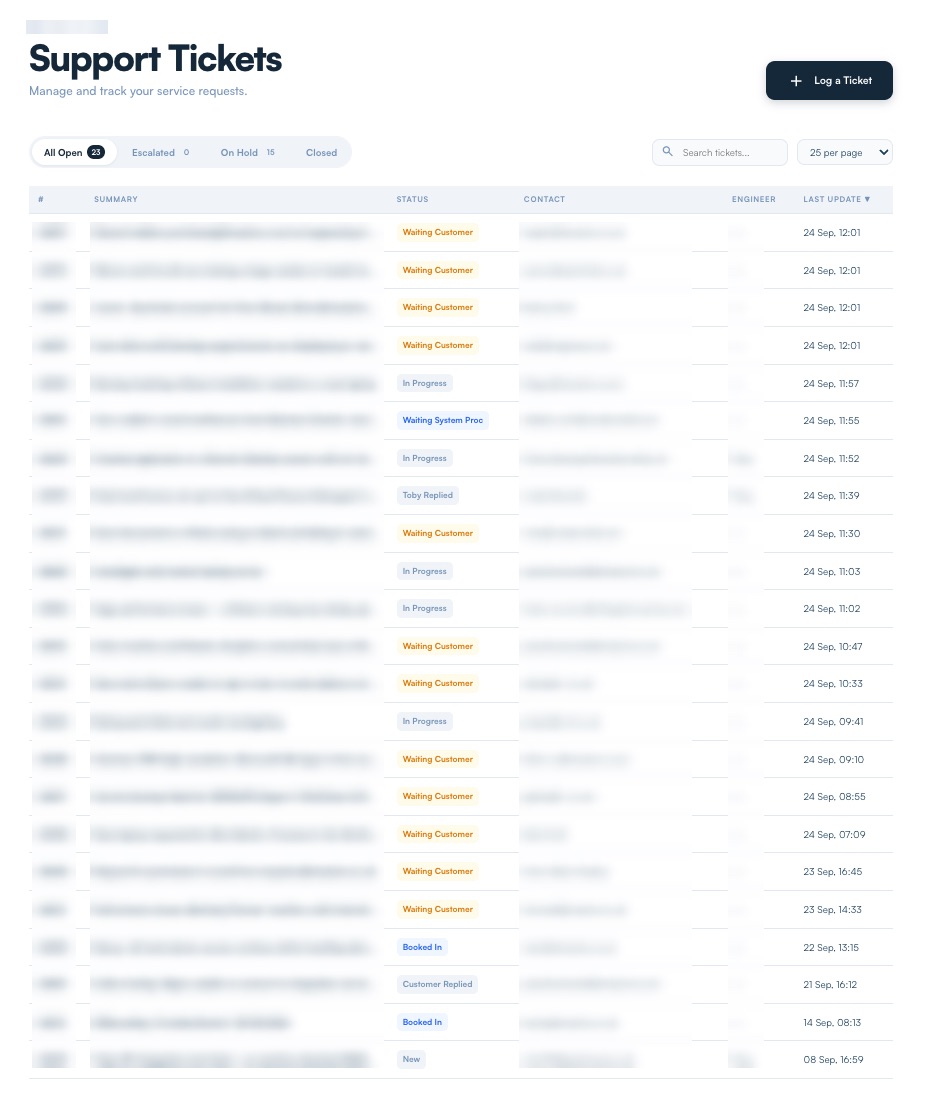
The statuses say plainly where the ball is. In Progress means we are on it. Waiting Customer means we need something from you. Booked In means a time is agreed. Nobody has to chase anybody to find out.
Projects and planned work, with a finish line
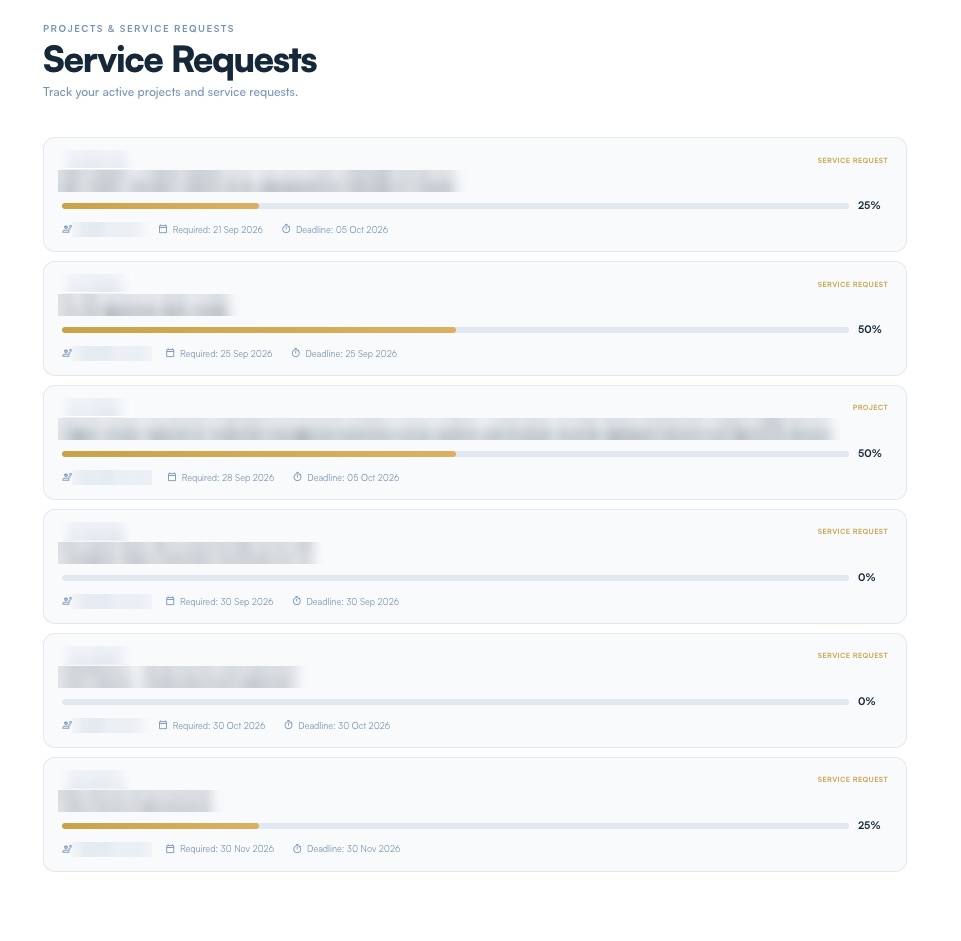
Not everything is a fault. Planned work, from a small change to a full project, sits on its own page, and each item shows a progress bar, the date you need it by and the deadline we are working to. You can see at a glance what is moving and what is waiting to start.
Starters and leavers, done properly
Two of the most common requests an IT provider gets are also two of the easiest to get wrong, so both have their own form.
- New user name, email, contact number, job title and start date, a box to say whether the person needs admin or authoriser rights, and space for anything else, such as the systems they need access to.
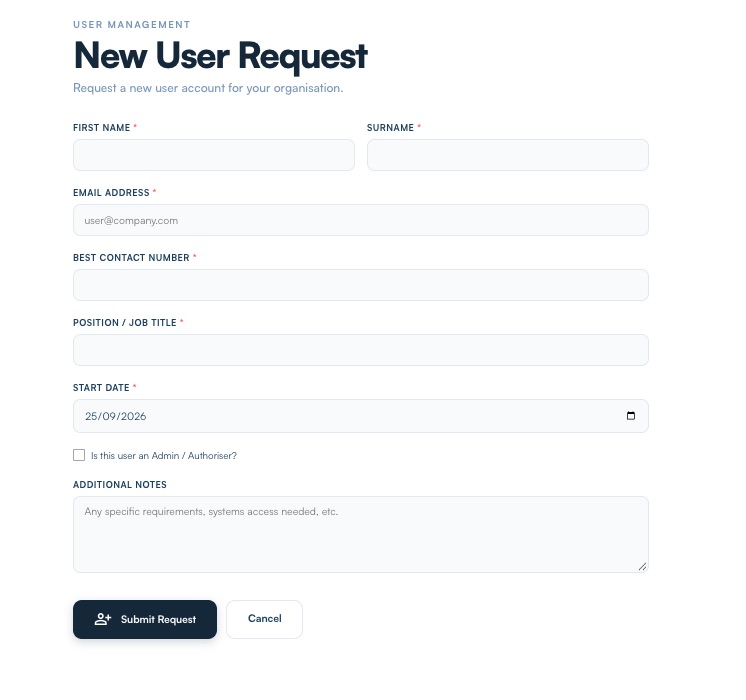
New User Request - Leaver pick the person and the date they go, then either remove everything, the account, the data and every service, or choose exactly what to keep and what to take away.
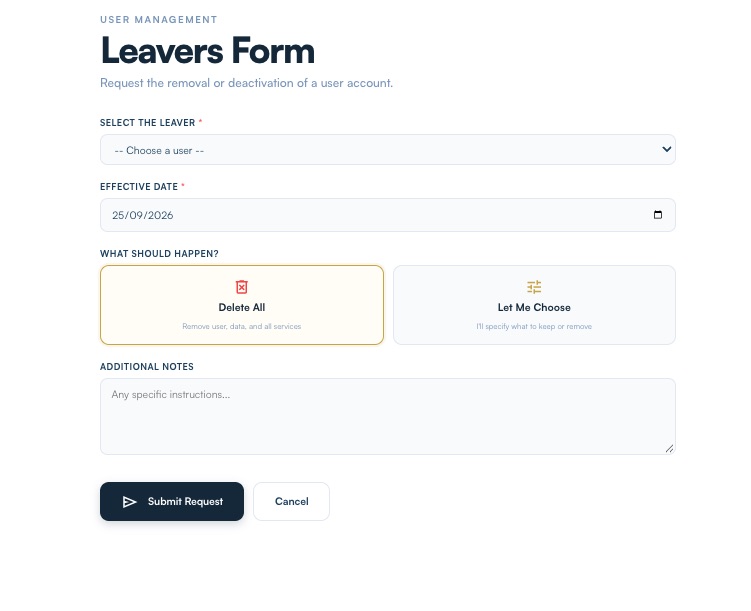
Leavers Form
Getting a leaver right matters more than it looks. An account left live after someone has gone is a way into your systems that nobody is watching, and a licence you are still paying for.
You help decide what we build next
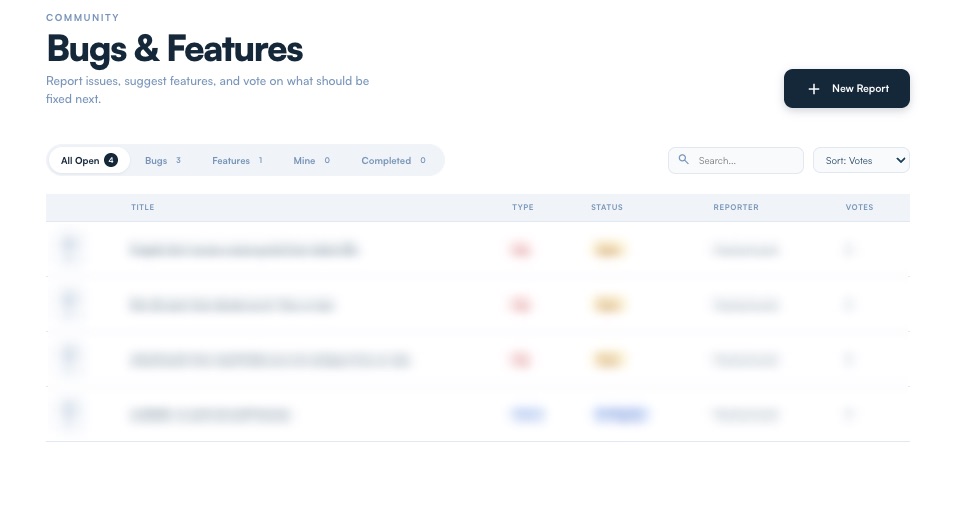
Tora is our own platform, built in-house over six years, so it changes in the direction our clients push it. The Bugs and Features page lets you report a problem or suggest an improvement, and vote on what should be fixed next. The ideas with the most votes rise to the top.
Feedback runs the other way too. Leave feedback on a closed ticket and you earn a spin on the portal's prize wheel, which is our way of saying thank you for telling us how we did.
What your current provider lets you see
Everything above is there for our clients every time they log in, without a phone call or an email. So ask your current provider one question: without ringing anyone, can you see every open ticket, where each one has got to and who is dealing with it, right now? Our clients can.


